

by BrainStream Chief User Experience Officer Yung-Wen Cheng
As apps evolve toward more inclusive UI/UX design, it’s important to recognize that accessibility extends beyond visual and motor considerations. A large number of students benefit from sensory-friendly design, which ensures that the app feels comfortable, predictable, and non-overwhelming. This approach supports not only users with sensory processing differences, ADHD, or autism, but also students in distracting environments, those prone to fatigue, and anyone who prefers a calmer digital experience.
A key aspect of sensory-friendly design involves reducing visual clutter and reducing excessive motion. Overly animated backgrounds, flashing indicators, or constant transitions can overwhelm certain users and increase cognitive load. Offering settings such as “Remove Animations,” high contrast, or alternative focus modes helps learners stay focused and engage more deeply with material.
Sound, too, plays a role in sensory comfort. Allowing users to amplify or mute sound levels—while still providing silent alternatives such as visual or haptic cues—creates a more accommodating learning environment. Captions ensure that students who are sensitive to audio stimuli, studying in quiet environments, or experiencing auditory processing differences can still access content fully. Well-designed captioning supports comprehension, reinforces learning, and makes audio-based activities more inclusive.
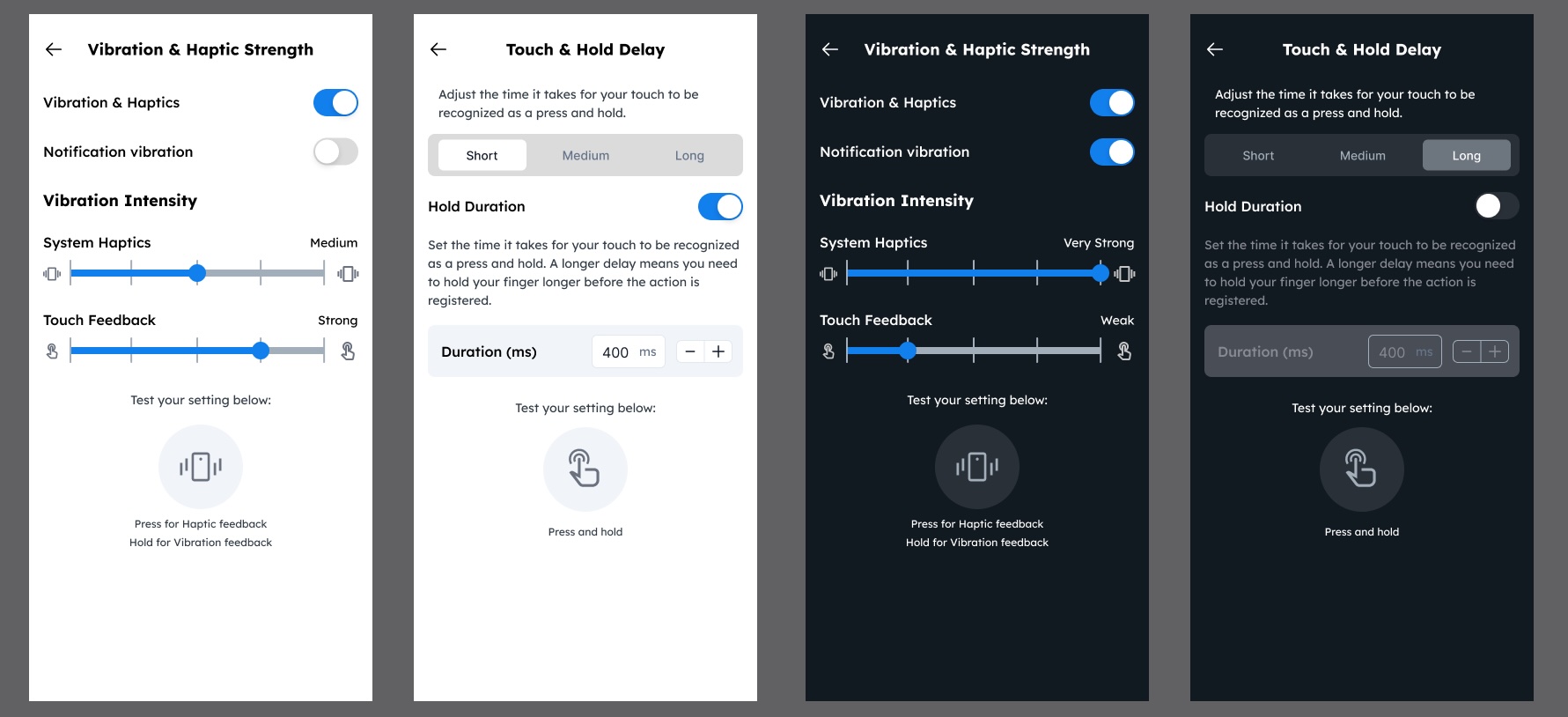
Motor-related sensory preferences should also be considered. Customizable touch-and-hold delays, tap sensitivity, vibration strength, and haptic feedback allow students to tailor the physical interaction to their comfort level. Those with motor challenges may require longer gesture durations to avoid accidental inputs, while others may rely on strong haptic responses to confirm actions without constant visual attention.
However, these customization options must be introduced with care. Settings should be easy to understand, grouped logically, and clearly explained. They should also respect system-level accessibility preferences to maintain consistency across devices. The goal is to empower students with meaningful control—not present an overwhelming list of technical adjustments.
By embracing sensory-friendly design, BrainStream can create calm, adaptable, and user-centered experiences that work for a wide spectrum of students. When learners feel comfortable—visually, auditorily, and physically—they are better able to stay focused, retain information, and succeed. Sensory-friendly design isn’t simply a feature; it’s a commitment to supporting the diverse ways students perceive and interact with the digital world.